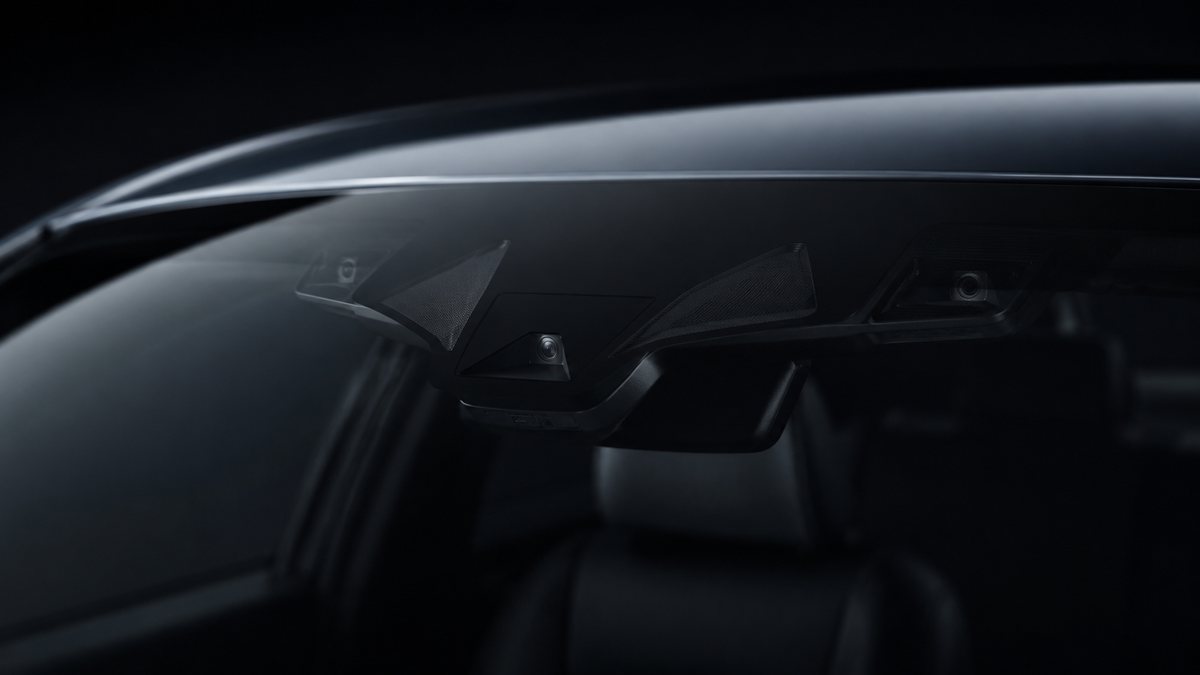
Activar Light Assist en Audi A3 8V (8V)
to activate the high beam assistant for vehicles with Sign Assist and/or Lane Assist options. The vehicle must be equipped with a 3Q0 camera (the camera is located at the top of the windshield, level with the rearview mirror, in the shape of a triangle). Watch out! There are 4 lines of coding to do here.
Guía de codificación para Activar Light Assist en Audi A3 8V (8V). Compatible con VCDS / VAG-COM · OBDeleven (cuando la propia ficha lo indica). La ruta manual mostrada está documentada con VCDS / VAG-COM. Consulta el módulo, el tipo de codificación, el canal o Byte/Bit y los valores necesarios antes de realizar el cambio.
¿Qué hace esta codificación?
to activate the high beam assistant for vehicles with Sign Assist and/or Lane Assist options. The vehicle must be equipped with a 3Q0 camera (the camera is located at the top of the windshield, level with the rearview mirror, in the shape of a triangle). Watch out! There are 4 lines of coding to do here.
| Estado | 🟠 Depende de centralita/software |
|---|---|
| Módulo | 09 - Cent. Elect |
| Tipo | Procedure |
| Herramientas compatibles | VCDS / VAG-COM · OBDeleven (cuando la propia ficha lo indica) |
| Procedimiento documentado con | VCDS / VAG-COM |
| Security Access | 31347 / 20103 |
Operaciones técnicas
| Operación | Módulo | Tipo | Canal / Byte-Bit | Original | Valor |
|---|---|---|---|---|---|
| Operación 1 | 09 - Cent. Elect | Adaptation | Fernlicht_Assistent-Menu control high-beam assistant → present | present » and confirm | |
| Operación 2 | 09 - Cent. Elect | Adaptation | Fernlicht_Assistent-Menu control high-beam assistant factory setting → present | present » and confirm | |
| Operación 3 | 09 - Cent. Elect | Adaptation | Fernlicht_Assistent-Extended_Fernlichtsteuerung → AFS: FLA: BCM high beam | AFS: FLA: BCM high beam» or «AFS: FLA: high beam over AFS », then confirm | |
| Operación 4 | A5 - Frt Sens. Drv. Assist | Long Coding | | byte «21 » Then, in the «Bit 5-7 » drop-down menu, select «20 AFS_coding_Light_Assist, High_Beam_Assist |
Vehículos compatibles
- Audi A3 8V (8V) · 2012–2020
Procedimiento manual documentado con VCDS / VAG-COM
- Con el motor apagado y el contacto quitado, conecta el cable VCDS al ordenador y después conecta el otro extremo a la toma de diagnosis del vehículo.
- Da el contacto y abre VCDS. Bloque 1:
- Pulsa «Select», después pulsa «09 – Cent. Elect.».
- Pulsa «Security Access – 16» e introduce el código «31347».
- Pulsa «Adaptation – 10».
- En esta pantalla, en la parte superior, hay un menú desplegable. En ese desplegable, selecciona «Fernlicht_Assistent-Menu control high-beam assistant».
- En esta misma pantalla, en la parte inferior, hay un segundo menú desplegable. Select «present» y confirma. Bloque 2:
- Pulsa «Adaptation – 10».
- En esta pantalla, en la parte superior, hay un menú desplegable. En ese desplegable, selecciona «Fernlicht_Assistent-Menu control high-beam assistant factory setting».
- En esta misma pantalla, en la parte inferior, hay un segundo menú desplegable. Select «present» y confirma. Bloque 3:
- En esta pantalla, en la parte superior, hay un menú desplegable. En ese desplegable, selecciona «Fernlicht_Assistent-Extended_Fernlichtsteuerung».
- On this same page, there is a second drop-down menu, at the bottom of the page. En ese menú, selecciona «AFS: FLA: BCM high beam» or «AFS: FLA: high beam over AFS», then confirm. Bloque 4:
- Pulsa «Select» después pulsa «. A5 – Frt Sens. Drv. Assist «.
- Pulsa «Security Access – 16» e introduce el código «20103».
- Pulsa «Coding – 07» después pulsa «Long Coding Wizard».
- Selecciona el Byte «21» Después, en el desplegable del Bit 5-7, selecciona «20 AFS_coding_Light_Assist, High_Beam_Assist».
Observaciones
Conservar las condiciones, variantes de hardware/SFD y alternativas descritas en los pasos de la fuente.