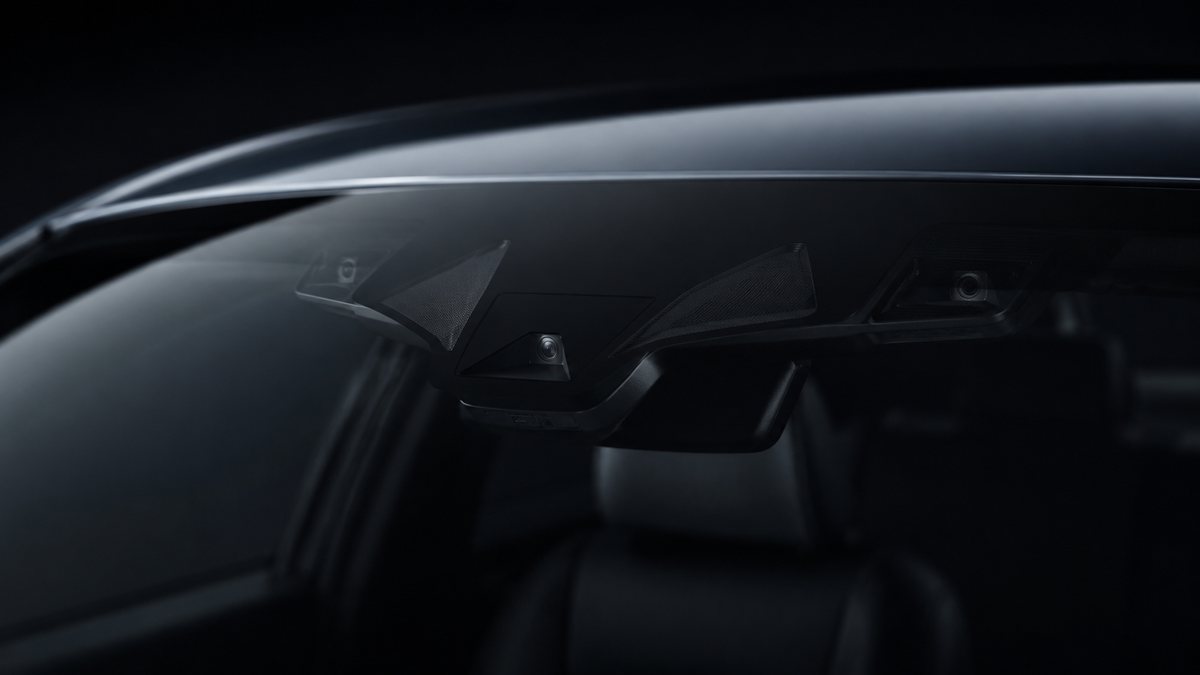
Activar High Beam Assist en Audi Q3 II (F3)
Activa High Beam Assist for vehicles with Sign Assist and/or Lane Assist options. The vehicle must be equipped with the 3Q0 camera. (the camera is located at the top of the windshield at the level of the rearview mirror, in the shape of a triangle) (Until 2020) Watch out! There are 4 lines of coding to do here
Guía de codificación para Activar High Beam Assist en Audi Q3 II (F3). Compatible con VCDS / VAG-COM · OBDeleven (cuando la propia ficha lo indica). La ruta manual mostrada está documentada con VCDS / VAG-COM. Consulta el módulo, el tipo de codificación, el canal o Byte/Bit y los valores necesarios antes de realizar el cambio.
¿Qué hace esta codificación?
Activa High Beam Assist for vehicles with Sign Assist and/or Lane Assist options. The vehicle must be equipped with the 3Q0 camera. (the camera is located at the top of the windshield at the level of the rearview mirror, in the shape of a triangle) (Until 2020) Watch out! There are 4 lines of coding to do here
| Estado | 🟠 Depende de centralita/software |
|---|---|
| Módulo | 09 - Cent. Elect |
| Tipo | Procedure |
| Herramientas compatibles | VCDS / VAG-COM · OBDeleven (cuando la propia ficha lo indica) |
| Procedimiento documentado con | VCDS / VAG-COM |
| Security Access | 31347 / 20103 |
Operaciones técnicas
| Operación | Módulo | Tipo | Canal / Byte-Bit | Original | Valor |
|---|---|---|---|---|---|
| Operación 1 | 09 - Cent. Elect | Adaptation | Fernlicht_Assistent-Menu control high-beam assistant → present | present » and confirm | |
| Operación 2 | 09 - Cent. Elect | Adaptation | Fernlicht_Assistent-Menu control high-beam assistant factory setting → present | present » and confirm | |
| Operación 3 | 09 - Cent. Elect | Adaptation | Fernlicht_Assistent-Extended_Fernlichtsteuerung → AFS: FLA: BCM high beam | AFS: FLA: BCM high beam» or «AFS: FLA: high beam over AFS », then confirm | |
| Operación 4 | A5 - Frt Sens. Drv. Assist | Long Coding | | byte «21 » Then, in the «Bit 5-7 » drop-down menu, select «20 AFS_coding_Light_Assist, High_Beam_Assist |
Vehículos compatibles
- Audi Q3 II (F3) · 2018–2025
Procedimiento manual documentado con VCDS / VAG-COM
- Con el motor apagado y el contacto quitado, conecta el cable VCDS al ordenador y después conecta el otro extremo a la toma de diagnosis del vehículo.
- Da el contacto y abre VCDS. Bloque 1:
- Pulsa «Select», después pulsa «09 – Cent. Elect.».
- Pulsa «Security Access – 16» e introduce el código «31347».
- Pulsa «Adaptation – 10».
- En esta pantalla, en la parte superior, hay un menú desplegable. En ese desplegable, selecciona «Fernlicht_Assistent-Menu control high-beam assistant».
- En esta misma pantalla, en la parte inferior, hay un segundo menú desplegable. Select «present» y confirma. Bloque 2:
- Pulsa «Adaptation – 10».
- En esta pantalla, en la parte superior, hay un menú desplegable. En ese desplegable, selecciona «Fernlicht_Assistent-Menu control high-beam assistant factory setting».
- En esta misma pantalla, en la parte inferior, hay un segundo menú desplegable. Select «present» y confirma. Bloque 3:
- En esta pantalla, en la parte superior, hay un menú desplegable. En ese desplegable, selecciona «Fernlicht_Assistent-Extended_Fernlichtsteuerung».
- On this same page, there is a second drop-down menu, at the bottom of the page. En ese menú, selecciona «AFS: FLA: BCM high beam» or «AFS: FLA: high beam over AFS», then confirm. Bloque 4:
- Pulsa «Select» después pulsa «. A5 – Frt Sens. Drv. Assist «.
- Pulsa «Security Access – 16» e introduce el código «20103».
- Pulsa «Coding – 07» después pulsa «Long Coding Wizard».
- Selecciona el Byte «21» Después, en el desplegable del Bit 5-7, selecciona «20 AFS_coding_Light_Assist, High_Beam_Assist».
Observaciones
Conservar las condiciones, variantes de hardware/SFD y alternativas descritas en los pasos de la fuente.