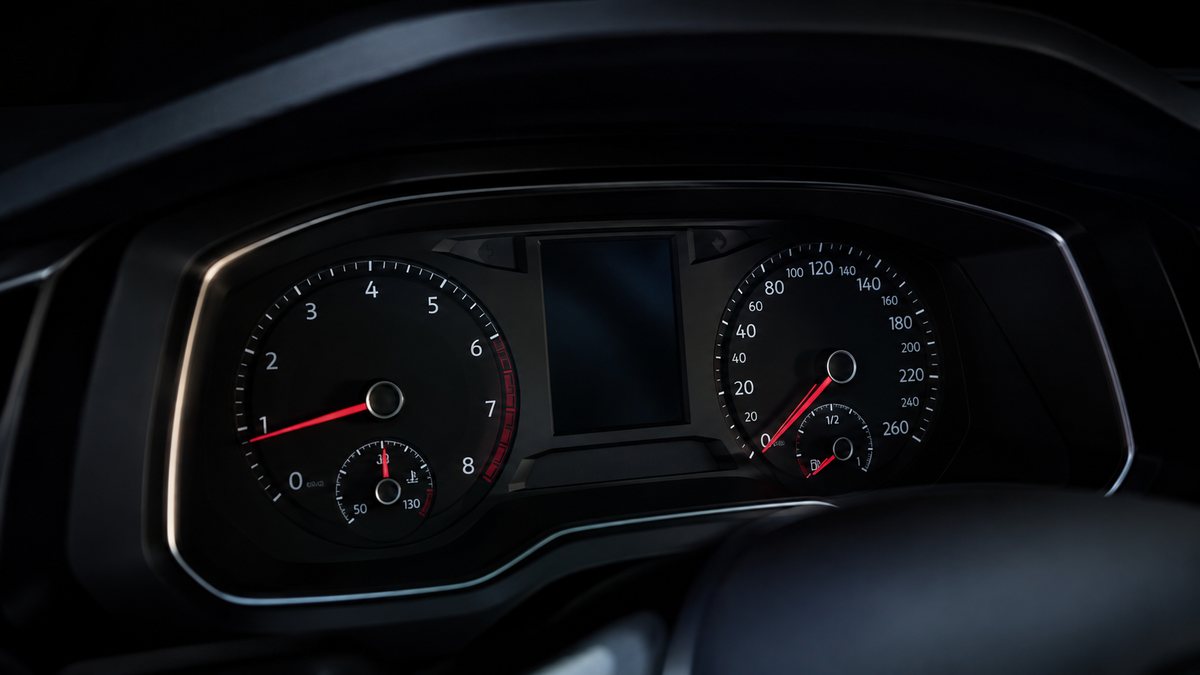
Cambiar visualización del ordenador de a bordo / Virtual Cockpit en Audi A5 II (F5)
Displays speed limit signs on the ODB / Virtual Cockpit. (Sign Assist) The vehicle must be equipped with Lane Assist.
Guía de codificación para Cambiar visualización del ordenador de a bordo / Virtual Cockpit en Audi A5 II (F5). Compatible con VCDS / VAG-COM · OBDeleven (cuando la propia ficha lo indica). La ruta manual mostrada está documentada con VCDS / VAG-COM. Consulta el módulo, el tipo de codificación, el canal o Byte/Bit y los valores necesarios antes de realizar el cambio.
¿Qué hace esta codificación?
Displays speed limit signs on the ODB / Virtual Cockpit. (Sign Assist) The vehicle must be equipped with Lane Assist.
💡
¿Es tu primera codificación? Consulta qué son un Byte, un Bit, Coding y Adaptation y dónde encontrarlos.
Antes de modificar: guarda o fotografía siempre el valor original. Una codificación incorrecta puede provocar fallos y algunas funciones dependen del hardware y versión de centralita.
| Estado | 🟠 Depende de centralita/software |
|---|---|
| Módulo | 5F - Electr. information |
| Tipo | Procedure |
| Herramientas compatibles | VCDS / VAG-COM · OBDeleven (cuando la propia ficha lo indica) |
| Procedimiento documentado con | VCDS / VAG-COM |
| Security Access | 20103 |
Operaciones técnicas
| Operación | Módulo | Tipo | Canal / Byte-Bit | Original | Valor |
|---|---|---|---|---|---|
| Operación 1 | 5F - Electr. information | Adaptation | Vehicle function list BAP-traffic_sign_recognition_0x21 “ 7 – On this same page, there is a second drop-down menu toward the bottom . From this menu, select “ activated | activated » and then confirm | |
| Operación 2 | 5F - Electr. information | Adaptation | Data Extended | Data Extended » or «Terminal 15,» then confirm | |
| Operación 3 | 5F - Electr. information | Adaptation | Vehicle menu operation-menu_display_road_sign_identification “ 7 – On this same page, there is a second drop-down menu toward the bottom . From this menu, select “ activated | activated » and then confirm | |
| Operación 4 | 5F - Electr. information | Adaptation | activated → Byte 24 · Bit 6 | byte 24—>, bit 6 | |
| Operación 5 | A5 - Frt Sens. Drv. Assist | Procedure | 01 Coding_VZE coded “ Or (after 2018) Byte 16 , set Bit 4 “ traffic_sign_detection “ Line 6 (Optional) : 3 – Click on “Select → Display end of speed limit symbol → activated → Display valid additional characters → Byte 16 · Bit 0-7 | activated » and then confirm | |
| Operación 6 | 17 - Instruments | Long Coding | | bit « 6 «: « traffic_sign_detection » (if available) |
Vehículos compatibles
- Audi A5 II (F5) · 2016–2024
Procedimiento manual documentado con VCDS / VAG-COM
- Con el motor apagado y el contacto quitado, conecta el cable VCDS al ordenador y después conecta el otro extremo a la toma de diagnosis del vehículo.
- Da el contacto y abre VCDS. Bloque 1:
- Pulsa «Select» después pulsa «5F – Electr. information».
- Pulsa «Security Access – 16» e introduce el código «20103».
- Pulsa «Adaptation – 10».
- At the very top of this page, there is a drop-down menu. From this drop-down menu, select «Vehicle function list BAP-traffic_sign_recognition_0x21 «7 – On this same page, there is a second drop-down menu toward the bottom. From this menu, select «activated» and then confirm. Bloque 2:
- At the very top of this page, there is a drop-down menu. From this drop-down menu, select «Vehicle function list BAP-traffic_sign_recognition_0x21_msg-bus «7 – On this same page, there is a second drop-down menu located toward the bottom. From this menu, select «Data Extended» or «Terminal 15,» then confirm. Bloque 3:
- At the very top of this page, there is a drop-down menu. From this drop-down menu, select «Vehicle menu operation-menu_display_road_sign_identification «7 – On this same page, there is a second drop-down menu toward the bottom. From this menu, select «activated» and then confirm. Bloque 4:
- At the very top of this page, there is a drop-down menu. From this drop-down menu, select «Vehicle menu operation-menu_display_road_sign_identification_over_threshold_high «7 – On this same page, there is a second drop-down menu toward the bottom. From this menu, select «activated» and then confirm. Note: For MY2016, the display of traffic signs in the navigation system must be disabled. Otherwise, the «Traffic sign based» submenu will not appear in the MMI speed warning menu. Disable byte 24—>, bit 6 Bloque 5:
- Pulsa «Select,» then Pulsa «A5 – Frt Sens. Drv. Assist «.
- Pulsa «Encoding – 07,» then Pulsa «Long Coding Helper «5 – Selecciona el «1» byte Después, en el desplegable del Bit 0-7, selecciona «01 Coding_VZE coded «Or (after 2018) Byte 16, establece el Bit 4 «traffic_sign_detection «Bloque 6 (opcional):
- Pulsa «Select» después pulsa «. A5 – Frt Sens. Drv. Assist «.
- At the very top of this page, there is a drop-down menu. From this drop-down menu, select «Display end of speed limit symbol.»
- On this same page, there is a second drop-down menu toward the bottom. From this menu, select «activated» and then confirm. Bloque 7 (opcional):
- At the very top of this page, there is a drop-down menu. En ese desplegable, selecciona «Display valid additional characters.»
- On this same page, there is a second drop-down menu toward the bottom. From this menu, select «activated» and then confirm. Bloque 8:
- Pulsa «Select», después pulsa «17 – Instruments «.
- Pulsa «Coding – 07» después pulsa «Long Coding Helper «.
- Choisir l’octet «5 «Puis cocher le Bit «2 «: «Traffic Sign Recognition installed «Selecciona el Byte «14 «. y activa el Bit «6 «: «traffic_sign_detection» (if available).
Observaciones
Conservar las condiciones, variantes de hardware/SFD y alternativas descritas en los pasos de la fuente.